Rive News · April 15, 2026
View Model Instances Get a Table View
You can now see and edit all your view model instances side by side in a table, instead of switching between them one at a time like in the videos.
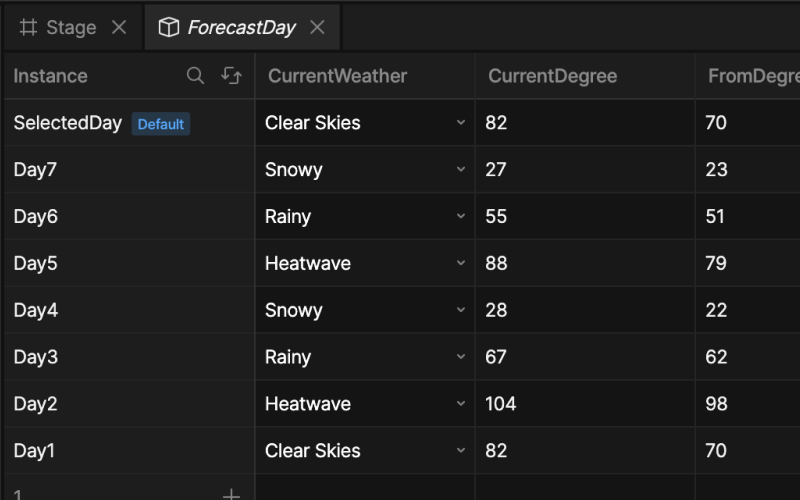
Rive added a table view for view model instances. All your instances and their property values sit in one table, side by side.
What Changed?
In the lessons you edit each instance separately, switching between them with the instance dropdown. The table view shows every instance as a row and every property as a column, so you can fill in and compare values much faster.
What This Means for You
The data structure you build in the lessons is exactly the same. The table is just a faster way to edit the numbers, and it is especially handy for things like the multi-day forecast instances, where you set the same properties across several instances.