Rive News · July 23, 2026
Auto Trace & Auto Weights Upgrade Rigging
Auto Trace turns an image into a mesh, and Auto Weights assigns bone weights for you, on both image meshes and vector paths. The manual workflow from the lessons still works and teaches you what the automation is doing.
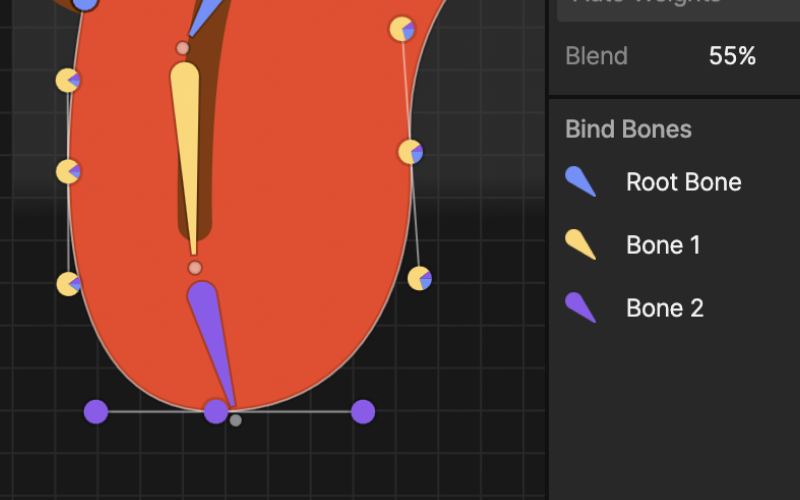
Rive added two big rigging helpers. Auto Trace turns an image into a mesh for you, and Auto Weights assigns bone weights automatically. Auto Weights is not image-only: it works on image meshes and on vector paths bound to bones, so your vector artwork gets the same treatment. The Edit Mesh and Vertices workflow was reworked at the same time.
What Changed?
In the rigging lessons you create meshes and paint weights by hand, on both image meshes and vector shapes. Rive can now do a first pass of both automatically: trace the mesh from your image, then auto-assign the weights across your bones. You can still refine everything manually afterwards.
What This Means for You
Everything in the lessons still works, and it is worth learning the manual way first: when the automatic weights are not perfect (and on complex characters they will not be), you fix them with exactly the skills from these lessons.
Once you are comfortable, try Auto Trace and Auto Weights to speed up your own characters, vector or image based.