Rive vs Lottie in 2026: Which One to Use, and Why
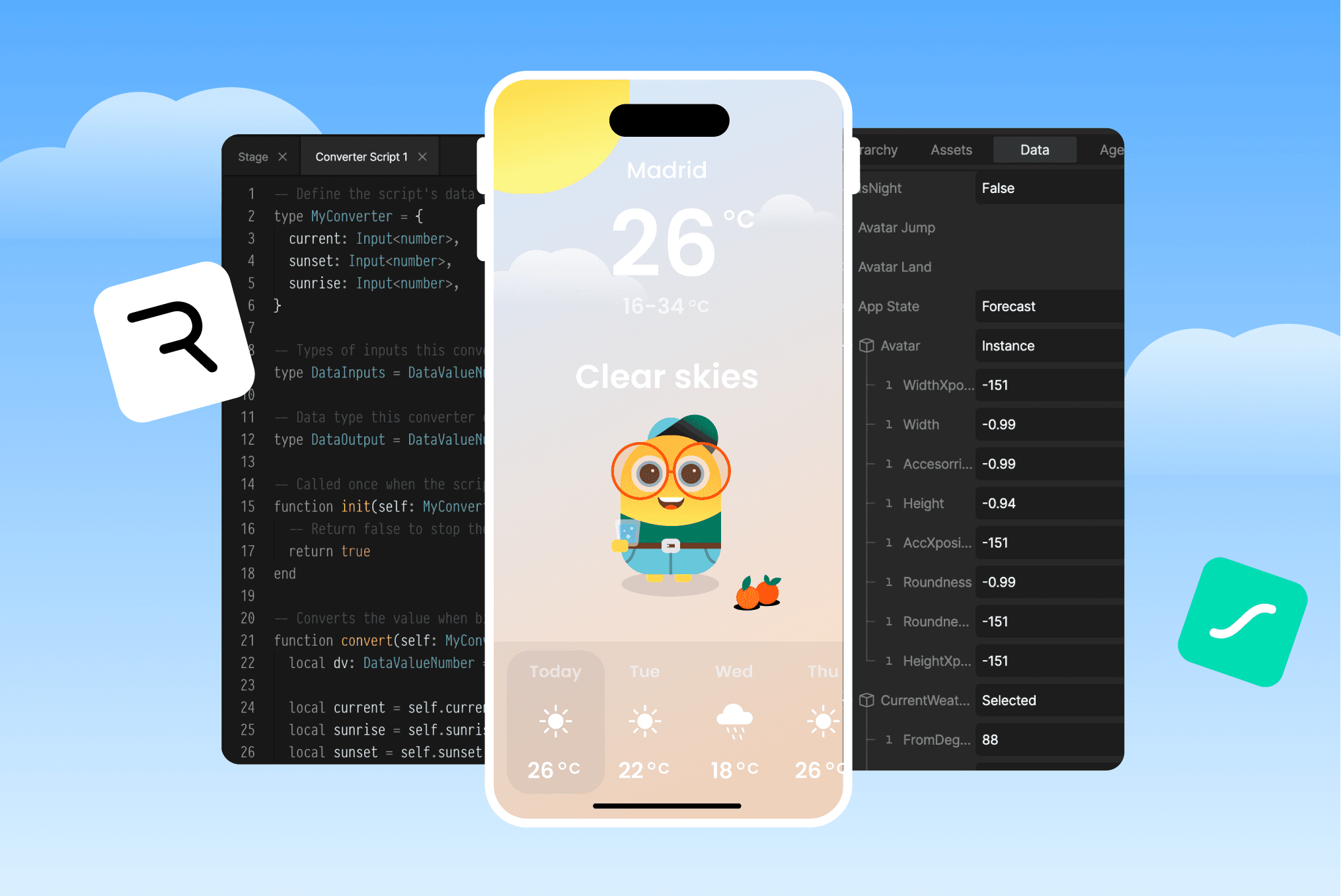
Many people ask themselves the same question: Rive or Lottie, which one is better?
It's an understandable question, but it's not the right one. The real question isn't which tool is better, but: what do you expect animation to do in your product.
If animation is just a bit of visual delight, Lottie will do the job. But animation isn't just confetti anymore.
In 2026, users expect motion to respond, adapt, and feel personal. Often without consciously noticing it. Animation has become part of how a product behaves and communicates.
With the rise of data-driven motion, interactivity, and scripting, animation is no longer something you add at the end of a project. It becomes something the product itself relies on.
This is exactly where the difference between Rive and Lottie becomes clear.
Quick Comparison: Rive vs Lottie in 2026
| Rive | Lottie (2026) | |
|---|---|---|
| Play animations | Yes | Yes |
| State machines | Yes (native, mature) | Yes (dotLottie, since late 2025) |
| Inputs & triggers | Yes | Yes |
| Data binding | Yes (native, production-ready) | Early stages (announced, rolling out) |
| Runtime scripting | Yes | No |
| After Effects workflow | No | Yes (Bodymovin) |
| Visual editor | Rive Editor | Lottie Creator |
| AI-assisted logic | No | Yes (prompt-to-state-machine) |
| Build full product UIs | Yes | Not yet |
Both tools have grown. But the differences that matter most show up when animation needs to go beyond playback.
The Moment Animation Stopped Being Decorative
Modern products don't just play animations anymore.
They rely on motion to communicate state, guide interaction, and respond to real-world data.
Animation has quietly moved from the edges of the interface into its core.
Once motion becomes responsible for behavior and feedback, the comparison between Rive and Lottie stops being about tools, and starts being about systems.
Lottie in 2026: More Capable Than Ever
Let's be honest. Lottie has come a long way.
With the introduction of dotLottie state machines in late 2025, Lottie now supports interactive animations that respond to user inputs, data, and specific triggers.
You can define states. Set transitions. Add boolean and numeric inputs. All without writing code.
For interactive UI elements like toggles, hover effects, and loading indicators, Lottie's state machines are solid.
Lottie Creator also added AI-powered logic generation. Describe your interaction, and it builds the state machine for you. This is a real step forward.
But here's the thing. Lottie's interactivity is still built around controlling animation playback. States trigger segments. Transitions move between them. The animation itself doesn't know anything about your app's data or logic.
For many use cases, that's totally fine.
Rive: Animation as a System
Rive came from a different place entirely. Instead of asking "How do we export animation?", Rive asked "What if animation lived inside the product?"
That's why Rive has state machines, inputs, data binding, and scripting. Not as add-ons. As the foundation. In Rive, animation isn't a clip. It's a system.
Rive Masterclass + Rive Scripting
Master Rive for real products.
Get Both for $219Both courses for $219. Save $49.

Rive Masterclass + Rive Scripting
Master Rive for real products.
Both courses for $219. Save $49.
Where the Gap Still Exists
Both tools now have state machines. So where does the real difference show up?
Data binding
In Rive, you can bind animation properties directly to live data. Numbers. Booleans. Strings. Change the value, the animation updates automatically. No playback instructions. No syncing issues.
Lottie announced data binding support, and it's starting to roll out. But Rive's data binding has been in production for a while now, and it shows.
Scripting
This is where the comparison stops being close.
With Rive scripting, animation doesn't need keyframes at all. You can build:
- Particle systems driven by math
- Motion that reacts every frame
- UI that adapts to layout changes
- Animation systems that scale infinitely
At that point, animation becomes closer to game logic, UI logic, behavioral design.
Lottie doesn't have a scripting layer. And that's okay. It's solving a different problem.
If you're curious about what scripting can do, I put together a free Rive scripting mini course that covers the basics.
The Editors Tell the Story
This difference shows up immediately in the tools.
Lottie Creator is great for creating animations, tweaking visuals, building state machines, and exporting assets. With AI-assisted logic, you can get interactive results fast.
Rive Editor feels different. You're not just animating. You're building components. Defining systems. Creating a design language. Managing logic visually. Testing real interactions.
It feels less like After Effects and more like a product tool.
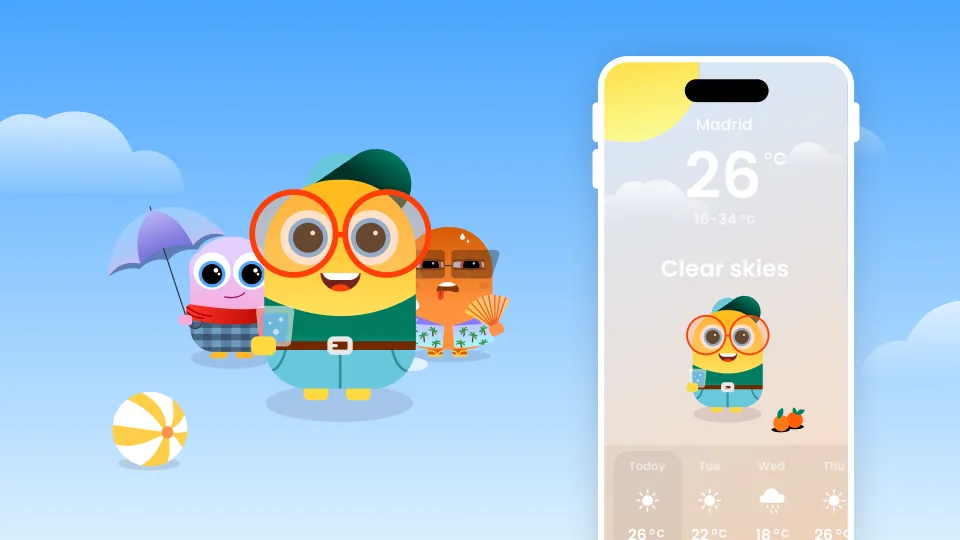
A Real Example: WeatherBuddy
This isn't theoretical for me.
In my Rive Masterclass, I built a full weather app where:
- The entire UI lives inside Rive
- It's fully responsive
- Built with reusable components
- Based on a design system
- Driven by state machines
- Powered by data binding
- Extended with scripting
All interactions, transitions, and behaviors happen inside Rive.
Outside the animation? Just one thing: an API call that fetches weather data.
Everything else, logic, motion, interaction, is handled visually, in one place.
This kind of workflow is where Rive is in a league of its own.
Want to see how it's built? The Rive Masterclass walks through the entire project, from design system to data binding to scripting.
So... Rive vs Lottie?
The honest answer in 2026:
Lottie is strong for lightweight, interactive motion. State machines made it more capable than ever. If you need animated UI elements, micro-interactions, or scroll-driven animations, Lottie delivers.
Rive is built for products where animation is part of the UX logic. Data binding, scripting, and the ability to build entire interactive UIs inside the animation put it in a different category.
They're not really competing head-to-head anymore. They're answering different questions.
Final Thought
If animation is something you add to your product, Lottie is a great choice. Especially now with state machines. If animation is something your product relies on, Rive is where you want to be.
Get more Rive tips
Weekly tutorials, new lessons, and Rive community highlights — no spam.